
Ping1.7.03 - Get APK
You'll be able to download in few seconds.
Publisher Description
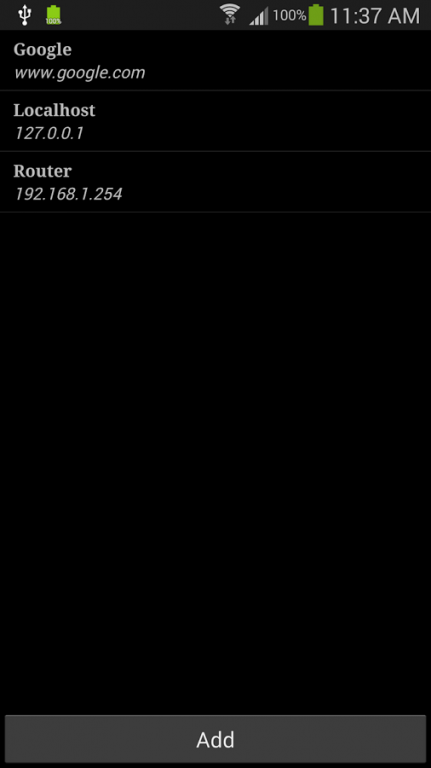
Ping is a network utility used to test the reachability of a host on an Internet Protocol (IP) network and to measure the round-trip time for messages sent from your hand phone to the host. It works on both 3G and Wifi.
ICMP ping currently only works in IPv4. IPv6 isn't widely supported on Android yet and is NOT available in this application.
Some features:
- Allows you to save popular hosts to ping
- Allows you to control ping packets count
- Allows you to control ping packet sizes
- Allows continuous pings (keeps pinging until you stop it)
- Allows you to set intervals between ping packets
- Allows broadcast pings
- Allows you to email ping results
- Allows you to ping in the background (this will allow ping to continue even if you rotate the screen)
- Contain Google ads* upon exiting app.
Tips:
- Long click hostname to edit host.
- Use menu button to Toggle Sound.
- Use menu to send us a Feedback for ideas and improvement.
- Manually edit /sdcard/ping.xml via a text editor for a easier way to add lots of host. Just copy the Google entry as a template for your host.
Please backup /sdcard/ping.xml before update.
About Ping
The company that develops Ping is ilMobile Apps. The latest version released by its developer is 1.7.03.
To install Ping on your Android device, just click the green Continue To App button above to start the installation process. The app is listed on our website since 2014-01-22 and was downloaded 0 times. We have already checked if the download link is safe, however for your own protection we recommend that you scan the downloaded app with your antivirus. Your antivirus may detect the Ping as malware as malware if the download link to com.mm.network is broken.
How to install Ping on your Android device:
- Click on the Continue To App button on our website. This will redirect you to Google Play.
- Once the Ping is shown in the Google Play listing of your Android device, you can start its download and installation. Tap on the Install button located below the search bar and to the right of the app icon.
- A pop-up window with the permissions required by Ping will be shown. Click on Accept to continue the process.
- Ping will be downloaded onto your device, displaying a progress. Once the download completes, the installation will start and you'll get a notification after the installation is finished.
Program Details
System requirements
Download information
Pricing
Version History
version 1.7.03
posted on 2014-01-22
1.7.03,- Remove annoying notification from status bar upon completion. I am very sorry for putting it there in the first place.,- Fixed crashes on some devices.,1.7.02,- Change to ask you to only agree once - Thank you John Moreau & Donald Weinshank for the feedback.,1.7.01,Refresh app with a new icon.,Rewrite large part of the program to support pinging in the background.,Adapt app to larger screen devices.,Display ads when exiting the application.
version 1.6.10
posted on 2010-10-12
Several fixes and updates
Disclaimer
External Download
We do not host Ping on our servers. We did not scan it for viruses, adware, spyware or other type of malware. This app is hosted by Galad and passed their terms and conditions to be listed there. We recommend caution when installing it.
The APK Download link for Ping is provided to you by apps112.com without any warranties, representations or guarantees of any kind, so access it at your own risk.
If you have questions regarding this particular app contact the publisher directly. For questions about the functionalities of apps112.com contact us.
